How to Get More Twitch Clips Organically (Without Begging Viewers)
For Twitch streamers, clips are the lifeblood of growth. A single viral clip can bring thousands of new followers, boost your average viewer count, and open doors to sponsorships. Yet many creators fall into the trap of constantly asking—"Clip that!"—only to see minimal engagement.
The truth is, organic clipping doesn't come from begging. It comes from designing a stream that naturally invites viewers to capture moments, combined with smart workflows that turn those raw clips into discoverable content.
In this guide, you'll learn how to generate more Twitch clips without annoying your audience, using strategies rooted in psychology, stream optimization, and smart automation. And for those moments when you need to scale beyond organic reach, we'll touch on how tools like ClipFarmer can help you repurpose your own content effortlessly.
Why Do Organic Clips Matter More Than Ever?
Twitch's algorithm, much like TikTok and YouTube Shorts, rewards engagement. Clips that are watched, shared, and embedded across platforms signal to the platform that your content is valuable. But there's a deeper reason to focus on organic clipping:
- Social Proof: When viewers clip moments without being asked, it signals to newcomers that your stream consistently delivers memorable content.
- Algorithmic Reach: Clips hosted on Twitch appear in the "Clips" section of your channel and can be surfaced in discovery feeds.
- Cross-Platform Growth: Organic clips often find their way to TikTok, Instagram Reels, and YouTube Shorts, acting as free advertising.
The goal, then, is to create an environment where clipping feels natural, exciting, and rewarding for your viewers.
How Do You Design Your Stream for Clipability?
Before a viewer ever clicks the clip button, your content must invite that action. Streamers who consistently get organic clips share a few production and behavioral traits.
Use Overlays That Highlight Moments
Visual cues help viewers recognize when something noteworthy is happening. Consider:
- On-screen alerts for new followers or subs that create a natural reaction.
- Sound effects that signal hype moments (e.g., a "ding" when a funny line lands).
- Webcam zoom effects (if using OBS) that punch in during intense gameplay or reactions.
Establish a Rhythm of Highs and Lows
Viewers clip contrasts—sudden wins, hilarious fails, emotional peaks. Structure your stream to include:
- Predictable high-stakes moments: Boss fights, ranked matches, or countdowns.
- Authentic reactions: Don't overact, but don't suppress genuine excitement. Authentic emotion is the most clipped currency.
Create Recurring Bits
Recurring jokes, catchphrases, or rituals ("every time I die I do a push-up") give viewers a reason to clip repeatedly. They become inside jokes that your community wants to preserve and share.
How Do You Empower Viewers Without Begging?
The line between encouraging clips and begging is thin. Instead of "clip this!" every five minutes, try subtle, viewer-first tactics.
Use a Clip of the Stream Command
Set up a bot (Streamlabs, StreamElements, or Nightbot) with a command like !clip that explains how to clip and reminds viewers that you feature the best clips at the end of each stream. Example response:
"To clip a moment, click the clip icon below the stream. The best clip of the day gets a shoutout on social media and a channel points reward!"
This educates without pressure and gives viewers a small incentive.
Reward Clipping with Channel Points
If you use Twitch Channel Points, create a "Clip of the Day" redemption. When viewers redeem it, they submit their clip via a Discord form or simply @mention you. The winner gets bonus points or a custom emote. This gamifies the process.
Highlight Clips on Stream
Dedicate the last 5–10 minutes of your stream to watching viewer clips. Seeing their name and clip on screen is a powerful motivator. It also shows that you value their contribution, encouraging more clipping in future streams.
How Do You Optimize Your Channel for Clip Discovery?
Many streamers overlook the technical setup that makes clips easier to find and share.
Enable Always Allow Clips
In your Twitch Creator Dashboard, go to Settings → Stream and ensure clips are set to "Always Allow". Turning off approval means clips go live instantly, increasing the chance they'll be shared while the moment is still fresh.
Customize Clip Thumbnails
When viewers share clips on social media, the thumbnail matters. Make sure your stream overlay doesn't cover your face, and consider using a static background for your camera so the thumbnail is always recognizable as you.
Use Clear Stream Titles and Categories
A stream titled "Attempting the impossible jump for 3 hours" sets expectations. When viewers clip the moment you finally succeed, the clip title defaults to your stream title, making it more searchable. Include keywords like "funny moments," "rage," or "epic win" in your title to attract viewers looking for specific clip genres.
How Do You Turn Clips into Multi-Platform Assets?
Organic clipping doesn't stop at Twitch. The clips your viewers create can be repurposed across other platforms, but only if you make it easy for them—and for yourself.
Share Viewer Clips on Social Media
When a viewer makes a great clip, ask for permission (quickly in chat) and share it on your Twitter, TikTok, or Instagram. Tag the viewer. This not only rewards them but also exposes your content to their followers.
Use ClipFarmer to Automate Your Own Clipping
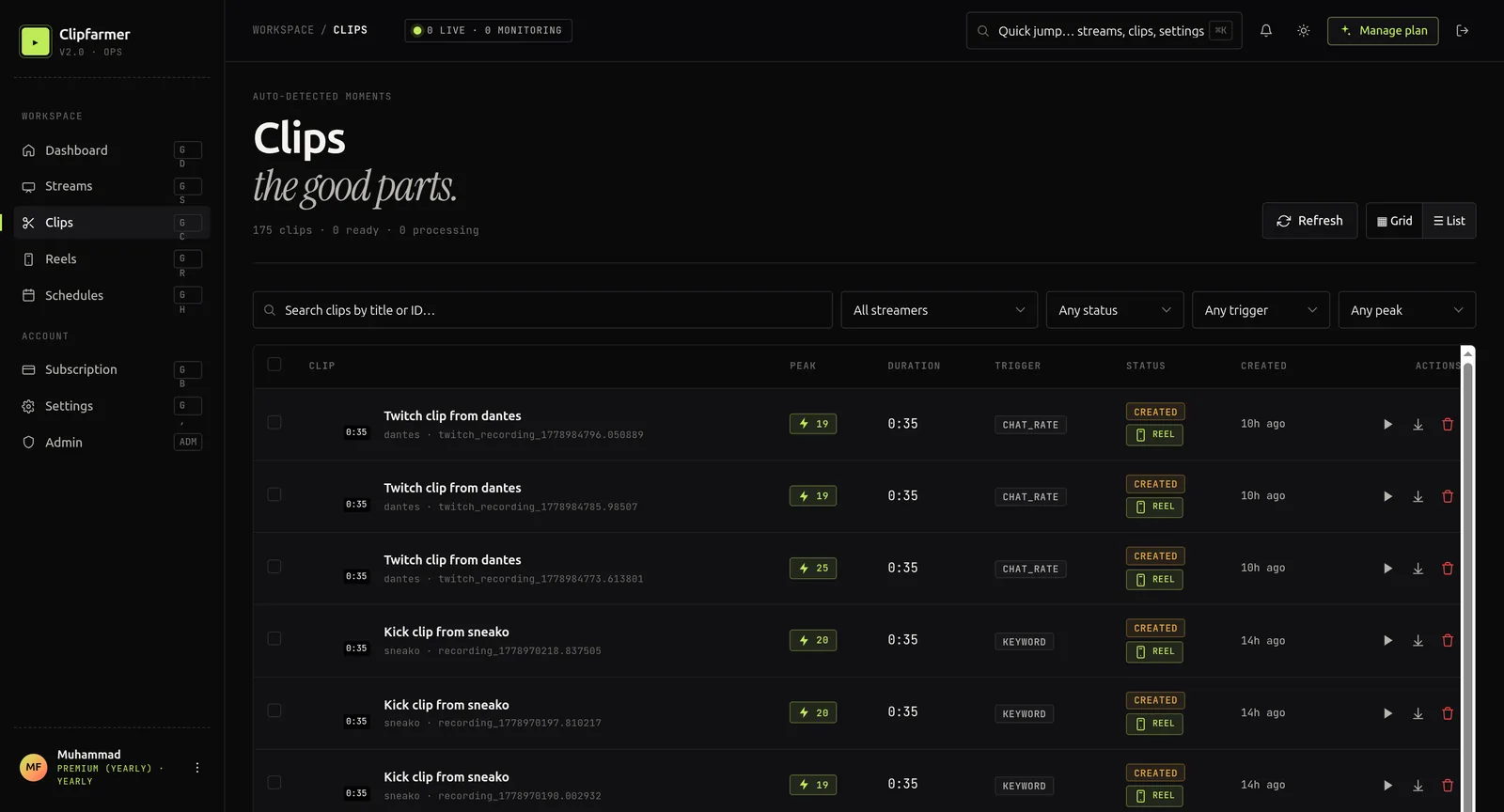
While this article focuses on organic viewer clips, you can't rely solely on your community to capture every great moment. Tools like ClipFarmer analyze your VODs and automatically generate short-form clips from key moments—saving you hours of manual work. This allows you to flood other platforms with consistent content, which in turn drives more viewers to your Twitch channel, creating a flywheel effect.
By using ClipFarmer, you ensure that no highlight goes unclipped, even on days when your viewers are quiet. The tool's AI detects emotional peaks, speech segments, and engaging moments, turning your long streams into a library of ready-to-share clips.
How Do You Leverage Chat Without Being Pushy?
Your chat is the engine of organic clipping. The more engaged your chat is, the more likely they are to clip.
Use Emotes and Chat Interaction
When a funny or hype moment happens, type something like POGGERS in chat yourself. This signals to viewers that something clip-worthy just occurred. Combined with a quick verbal "oh man, I hope someone clipped that" (said once per stream, max), it nudges without begging.
Create a Clip Squad
Identify a few trusted mods or regulars who enjoy clipping. Privately encourage them (without making it feel like a job) to capture moments. You can even give them a special role in Discord called "Clip Hunter" with small perks like priority in game queues or a special emote.
Use the Clips Tab as a Reward
Regularly browse your own clips and heart the best ones. When you feature a clip on stream, say "shoutout to [username] for this clip!" This creates a feedback loop: viewers see that clipping gets them recognition, so they do it more.
Does Technical SEO Matter for Twitch Clips?
If you want your clips to be discovered outside Twitch—especially on YouTube Shorts or Google Search—you need to treat them like searchable content.
Title Clips with Keywords
When you download a viewer clip or use a tool like ClipFarmer to export, rename the file and add metadata using relevant keywords. For example:
- Bad: twitch_clip_4567.mp4
- Good: elden-ring-boss-fail-funny-highlight.mp4
Add Descriptions and Tags
On YouTube Shorts, TikTok, and Instagram, write descriptions that include the game name, streamer name, and a short, engaging summary. Use 3–5 hashtags that combine broad (#Twitch) and niche (#ValorantMoments) terms.
Embed Clips in Blog Posts or Discord
If you maintain a website or blog (like the one you're reading), embedding clips with descriptive anchor text helps Google understand your content. For example: "Check out this funny Twitch fail where I attempted to speedrun…" This builds topical authority.
How Do You Analyze What Gets Clipped?
Organic clipping gives you free market research. Use Twitch's Clip analytics (or third-party tools) to see:
- Which games or categories generate the most clips?
- What time in the stream do clips peak?
- What type of moments—rage, joy, funny, informative—get clipped most?
Then, intentionally incorporate more of those elements. If your analytics show that your "reacting to fan art" segment yields 10x more clips than gameplay, consider making it a recurring segment.
What Clipping Mistakes Should You Avoid?
Even well-intentioned streamers can inadvertently kill organic clipping. Avoid these pitfalls:
- Over-moderating clips: Deleting clips that are slightly critical or off-topic discourages viewers. Only remove clips that violate your rules.
- Ignoring clip creators: If you never acknowledge who made the clip, viewers lose motivation.
- Poor audio: Muffled mic or unbalanced game audio makes clips unusable. Ensure your audio is crisp—bad audio is the #1 reason clips fail outside Twitch.
- Asking too often: Frequent "clip that!" commands desensitize viewers and feel desperate. Reserve it for truly exceptional moments.
How Do Organic Clips Create a Growth Flywheel?
When you combine a clip-friendly stream, an incentivized community, and a tool like ClipFarmer to fill the gaps, you create a self-sustaining growth loop:
- Great content happens on stream.
- Viewers clip naturally (and are rewarded).
- You share those clips across TikTok, YouTube, and Twitter.
- New viewers discover you through those clips and visit your Twitch.
- Your stream audience grows, leading to even more organic clipping.
This is why focusing on organic clips—without begging—is one of the highest-ROI strategies for any Twitch streamer.
Frequently Asked Questions
How do I get viewers to clip my Twitch stream without asking?
Design your stream with visual cues, reward clippers with channel points or on-stream shoutouts, and make it easy by enabling "always allow clips" in your settings. Use a bot command like !clip to educate viewers on how to clip, and regularly feature the best clips at the end of your stream.
What's the best tool to clip Twitch streams automatically?
Tools like ClipFarmer use AI to scan your VODs and generate short, engaging clips from highlights, saving you hours of manual editing. They are ideal for supplementing organic viewer clips and ensuring consistent cross-platform content.
Should I share viewer clips on TikTok and YouTube?
Yes, but always ask permission first. When you share, tag the viewer and include relevant keywords and hashtags. This builds community goodwill and expands your reach.
How can I make my Twitch clips rank on Google?
Use descriptive file names, write detailed captions with keywords, and embed clips on your website or blog. Google indexes video content, so optimized titles and descriptions improve discoverability.
What type of Twitch content gets clipped the most?
High-emotion moments—unexpected wins, hilarious fails, genuine reactions, and interactive segments like "chat decides my loadout"—tend to generate the most organic clips.
Stop Begging, Start Designing
Growing your Twitch channel through clips doesn't require nagging your audience. It requires a strategic blend of stream design, community incentives, and smart repurposing.
Start by making your stream naturally clip-worthy: use overlays, build recurring bits, and optimize your settings. Then empower your viewers without pressure—reward clippers, feature their work, and gamify the process. Finally, amplify those clips across platforms using tools like ClipFarmer to ensure every highlight gets its moment in the sun.
Organic clipping isn't about luck. It's about creating a system where your community wants to clip because it's fun, rewarding, and makes them part of your story. Implement these strategies, and you'll see your clip count—and your channel—grow without ever having to say "clip that" again.
Curious why any of this works? Read the purpose of clipping people.