Saving 15 Hours/Week on Content Creation: The Automation Playbook for Streamers
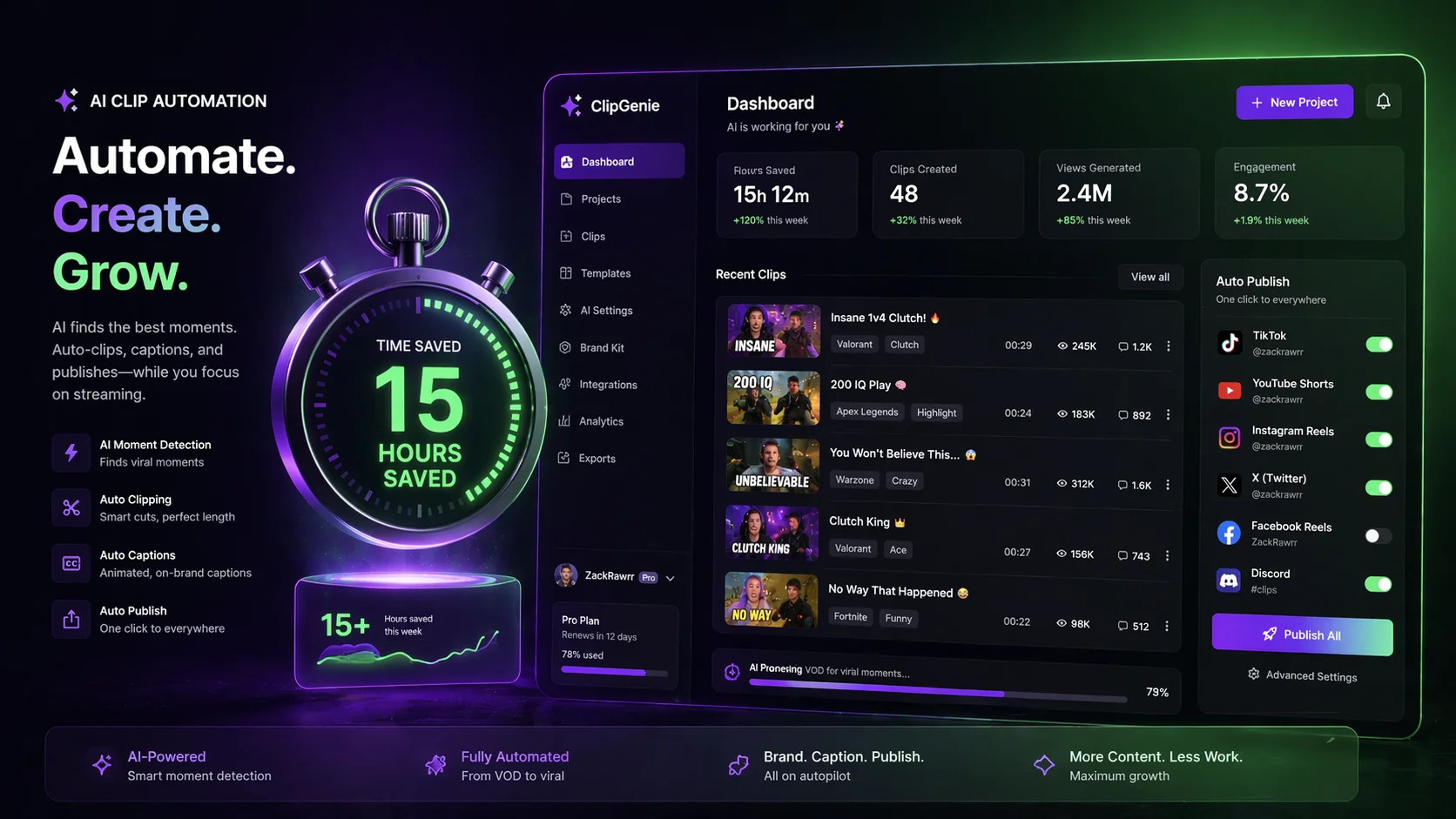
Time is the only resource you can't buy more of. For streamers, podcasters, and video creators, the math is brutal: every hour spent editing clips is an hour not spent streaming, engaging with your community, or simply resting. Yet without consistent short‑form content, growth stalls.
The creators who win aren't the ones who work the hardest—they're the ones who work the smartest. By implementing an automated content repurposing workflow, you can reclaim 15 hours or more per week while actually increasing the volume and quality of your clips.
In this guide, you'll learn exactly where those 15 hours are hiding, how to automate the most time‑consuming tasks, and why tools like ClipFarmer are essential for scaling your content without burning out.
Where Does Manual Content Creation Time Actually Go?
Before you can save time, you need to understand where it's currently leaking. Let's break down the weekly hours spent by a typical streamer creating clips manually.
The Manual Workflow (Per Stream)
- Scrubbing through VODs to find highlights: 60 minutes per stream / 5 hours per week (5 streams).
- Trimming and cutting clips: 30 minutes per stream / 2.5 hours per week.
- Adding captions manually: 20 minutes per stream / 1.7 hours per week.
- Resizing for vertical format (9:16): 15 minutes per stream / 1.25 hours per week.
- Adding branding, logos, watermarks: 10 minutes per stream / 0.8 hours per week.
- Writing titles and descriptions: 10 minutes per stream / 0.8 hours per week.
- Exporting and rendering: 15 minutes per stream / 1.25 hours per week.
- Uploading to multiple platforms: 10 minutes per stream / 0.8 hours per week.
- Total: ~170 minutes per stream / ~14.2 hours per week.
That's nearly 15 hours per week just on post‑production—before you even think about strategy, community engagement, or actual streaming.
And the worst part? Most of these tasks are repetitive, low‑creativity, and perfect for automation.
Where Does AI Save the Most Time in a Creator Workflow?
Automation isn't about replacing your creativity. It's about eliminating the grunt work so you can focus on what matters: being entertaining, authentic, and strategic.
Here are the tasks that AI and smart tools can handle for you:
Highlight Detection (Saves 5+ hours/week)
Instead of manually scrubbing through a 3‑hour VOD, AI can analyze the footage and identify the most engaging moments based on:
- Emotional peaks (laughter, shouting, surprise)
- Speech patterns (key phrases, jokes, rants)
- Visual changes (camera zooms, on‑screen alerts, rapid movements)
- Audience engagement (chat activity spikes)
Tools that do this: ClipFarmer, Opus Clip, Klap. ClipFarmer's AI is specifically trained for streamer content, detecting the "turnaround" moments that viewers love.
Automated Trimming and Cutting (Saves 2.5 hours/week)
Once the AI identifies the best timestamps, it can automatically cut the clip to the ideal length (15‑60 seconds for Shorts). No more dragging in‑points and out‑points.
Caption Generation and Syncing (Saves 1.7 hours/week)
Manual captioning is tedious. AI transcribes your speech and syncs captions to the exact timing. The best tools even add styling, emojis, and highlight key words.
Vertical Resizing and Smart Cropping (Saves 1.25 hours/week)
Instead of manually repositioning your face cam and gameplay, AI can automatically detect the most important part of the frame and crop to 9:16 while keeping you centered.
Batch Exporting and Rendering (Saves 1.25 hours/week)
Instead of exporting one clip at a time, batch processing allows you to render 10 clips simultaneously while you do something else.
Platform‑Specific Formatting (Saves 0.8 hours/week)
The best tools let you export clips pre‑optimized for YouTube Shorts, TikTok, and Instagram Reels—including aspect ratio, caption style, and maximum length.
Total time saved through AI automation: ~12‑13 hours per week.
The remaining 2‑3 hours go toward strategic tasks like writing unique titles, selecting the best clips from AI suggestions, and engaging with comments.
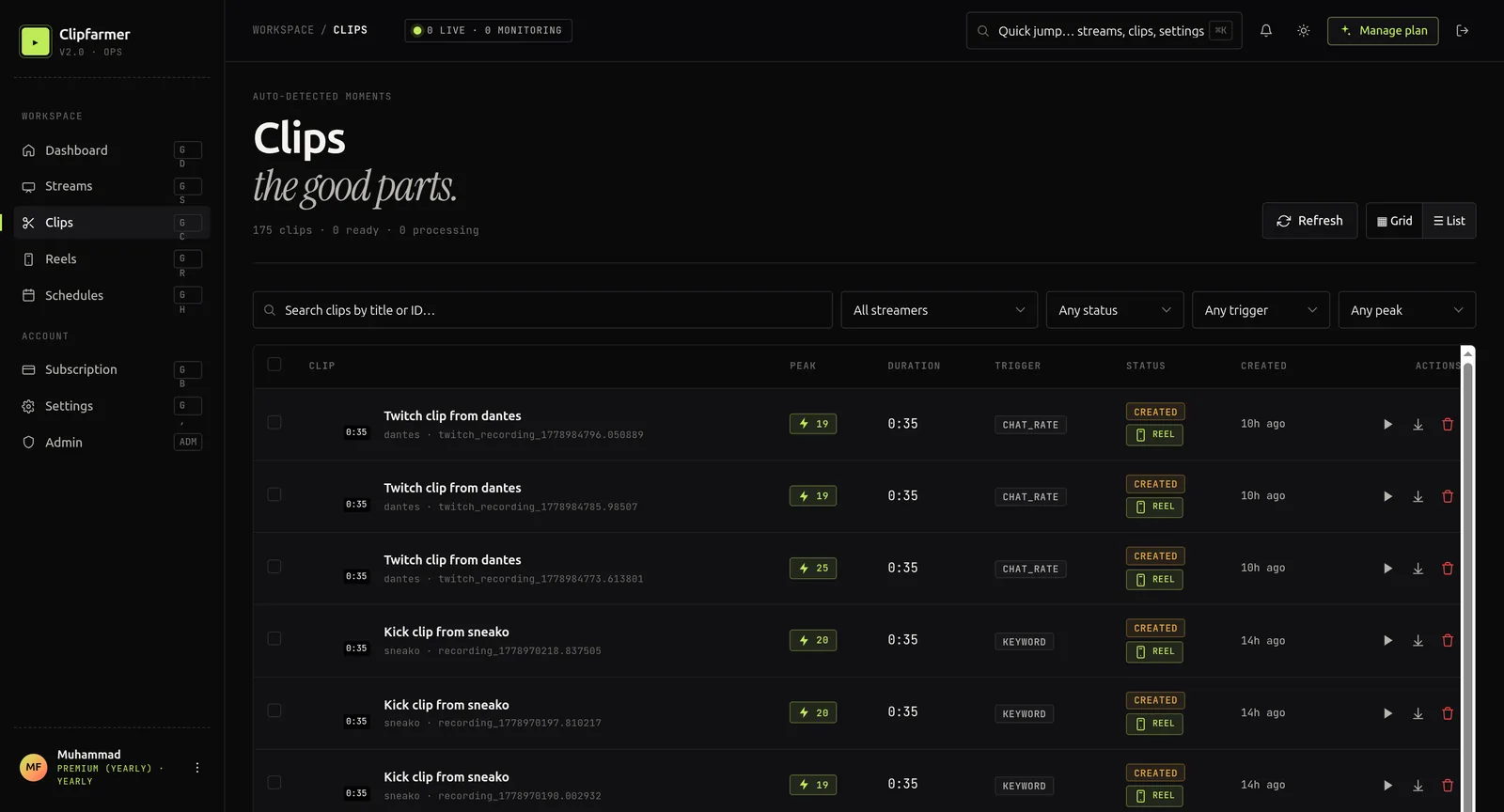
What Does the ClipFarmer Workflow Look Like Week by Week?
ClipFarmer was built specifically to reclaim your time. Here's exactly how to integrate it into your post‑stream routine.
Stream as Usual (0 additional time)
Do what you do best—go live, engage your audience, and create memorable moments. No changes needed.
Import Your VOD (2 minutes)
After your stream ends, download your VOD from Kick or Twitch (or connect your channel directly). Upload it to ClipFarmer. The platform accepts files up to several hours long.
Let AI Analyze and Suggest Clips (5 minutes of setup, AI works in background)
ClipFarmer's AI scans the entire VOD and generates a list of suggested clips with timestamps, emotional tags (funny, hype, rage, informative), and preview thumbnails. You don't need to watch the VOD again.
Time saved vs. manual: 60+ minutes per stream.
Review and Select (10 minutes)
From the suggested clips, choose your top 5‑10. The AI is good, but your judgment is better. This is the only hands‑on step that requires your creative input.
Time saved vs. manual trimming: 30 minutes.
Customize with One Click (5 minutes)
Apply your branding template—captions, colors, logo, progress bar—to all selected clips simultaneously. ClipFarmer uses your preferences to maintain a consistent look across every clip.
Time saved vs. manual editing: 20 minutes.
Export and Schedule (5 minutes)
Export all clips in vertical 9:16 format. Use ClipFarmer's scheduling feature or integrate with Buffer, Later, or Hootsuite to post directly to YouTube Shorts, TikTok, and Instagram.
Time saved vs. manual export/upload: 25 minutes.
The Total Weekly Time Investment with ClipFarmer
- Import VOD: 10 minutes per week (5 streams).
- AI analysis: 0 active minutes (runs in background).
- Review and select clips: 50 minutes per week.
- Customize with branding: 25 minutes per week.
- Export and schedule: 25 minutes per week.
- Total active time: ~110 minutes per week.
That's 1.8 hours per week versus 14‑15 hours manually—a saving of over 12–13 hours per week immediately, with room to optimize further.
How Do You Automate the Entire Content Funnel Beyond Clipping?
Saving 15 hours isn't just about clipping. It's about creating a system where your content flows automatically from creation to distribution.
Automate Title Generation
ClipFarmer's AI analyzes the clip's content and suggests titles based on detected emotion and keywords. Use these as starting points, then tweak for your voice.
Time saved: 30 minutes per week.
Automate Descriptions and Hashtags
Create templates for each platform and let AI fill in the specifics (game name, clip type, your handle). ClipFarmer can generate platform‑specific descriptions with relevant hashtags.
Time saved: 20 minutes per week.
Automate Cross‑Platform Distribution
Use scheduling tools to push your clips to YouTube Shorts, TikTok, Instagram, and X simultaneously. Set it and forget it.
Time saved: 30 minutes per week.
Automate Engagement Responses
While not directly related to clipping, tools like Streamlabs or Chatbot can auto‑reply to common comments ("What game is this?" "Where can I watch live?") on your repurposed content, driving traffic back to your stream.
Time saved: 30 minutes per week.
Total additional time saved: ~2 hours per week.
Combined with the clipping automation, you're now saving 14‑15 hours per week consistently.
What Should You Do With the 15 Hours You Reclaim?
Time saved is worthless if you don't reinvest it wisely. Here's how top creators use their reclaimed hours:
More Streaming (+5 hours)
Add an extra stream or extend existing ones. More live content = more raw material for future clips. It's a virtuous cycle.
Community Engagement (+3 hours)
Reply to comments, host community games, or create Discord events. Engaged communities grow faster and clip more organically.
Strategic Planning (+2 hours)
Plan themed streams, collaboration opportunities, or content series that are designed to generate viral moments.
Skill Improvement (+2 hours)
Watch educational content, study your analytics, or take a course on streaming production. Better skills = better content = more clips.
Rest and Recovery (+3 hours)
Burnout is real. Use some of your saved time to rest. A rested creator is a creative creator.
The specific mix is up to you, but the key is intentionality. Don't just fill the time with more screen‑scrolling.
What Does Saving 15 Hours Look Like in Practice?
Let's look at a hypothetical but realistic example.
Streamer: "Alex," variety streamer on Kick. Streams 4 days per week, 3 hours each. Average 50‑100 viewers.
Before automation:
- After each stream: 1.5 hours of manual clipping.
- Weekly total: 6 hours clipping.
- Plus 2 hours of titling, descriptions, uploading.
- Plus 3 hours of creating thumbnails for YouTube.
- Total: 11 hours per week. (Alex wasn't even doing everything—no captions, no multi‑platform posting.)
After ClipFarmer:
- 15 minutes to import and let AI analyze.
- 20 minutes to review and select 8 clips per stream.
- 10 minutes to apply branding and export.
- 10 minutes to schedule across platforms.
- Total: 55 minutes per week.
Time saved: ~10 hours per week. Alex reinvested 5 hours into an extra stream, 3 hours into community engagement, and 2 hours into rest. Within 60 days, average viewers grew to 120, and Alex hit Partner requirements.
What Are the Common Objections to Automation (and Why They're Wrong)?
"AI won't understand my humor."
AI doesn't need to understand humor—it detects reactions. When you laugh, shout, or make a face, the AI sees the change and flags the moment. You still choose which clips to use.
"I enjoy editing. It's creative."
Editing is creative. But scrubbing through a VOD to find timestamps isn't editing—it's data entry. Use AI to find the moments, then spend your creative energy on polish and storytelling.
"I can't afford a tool."
ClipFarmer's Starter plan is $9/mo, and the higher plans still cost less than one takeout meal per week. If it saves you 15 hours, what's the hourly value of your time? Even at minimum wage, that's $100+ per week saved.
"I don't stream enough to need automation."
Even a single stream per week takes 2‑3 hours to clip manually. Automation saves you time regardless of volume. And the less you stream, the more important it is to maximize each stream's output.
How Do You Measure the ROI of Content Automation?
To prove the ROI of automation, track these metrics for two weeks:
- Hours spent on post‑production (logging time per task).
- Number of clips produced per hour of post‑production.
- Total cross‑platform views per clip.
After implementing ClipFarmer, compare:
- Before: 2 clips/hour, 500 views per clip average.
- After: 10 clips/hour, 500 views per clip average.
You've increased output by 5x without sacrificing quality. That's the power of automation.
Saving Time on Content Creation FAQs
How many hours can I realistically save with AI clipping tools?
Most creators save 10‑15 hours per week depending on streaming frequency. For a 5‑stream week, manual clipping takes ~14 hours. With ClipFarmer, active time drops to ~2 hours—a saving of 12 hours.
Is ClipFarmer better than manual editing for quality?
ClipFarmer finds moments you might miss manually. Quality is often higher because you're not fatigued from scrubbing hours of footage. You still control final selection and customization.
Can I use ClipFarmer for podcasts and YouTube videos, not just streams?
Yes. ClipFarmer works with any long‑form video—podcast episodes, YouTube VODs, recorded interviews, webinars. The AI detects engaging moments based on speech and visual changes.
Do I need to be tech‑savvy to use automation tools?
No. ClipFarmer is designed for creators, not engineers. Upload a file, wait for AI analysis, then click to generate clips. The interface is visual and intuitive.
Will automation make my content feel generic?
Only if you let it. Automation handles the repetitive tasks. Your personality, voice, and humor are still what make the clip great. Use AI as an assistant, not a replacement.
How do I convince myself to trust AI with my content?
Start with one VOD. Let ClipFarmer suggest 10 clips. Compare them to what you would have clipped manually. Most creators find that AI catches moments they forgot or missed entirely.
Your Time Is Your Most Valuable Asset
Every hour you spend manually clipping is an hour stolen from growth, creativity, or rest. The creators who scale aren't the ones who work 80‑hour weeks—they're the ones who build systems that do the heavy lifting for them.
By implementing an automated workflow with ClipFarmer, you can:
- Save 15 hours per week.
- Produce 5x more clips.
- Maintain or improve quality.
- Reduce burnout.
- Grow faster across every platform.
The technology exists. The workflow is proven. The only question is: what will you do with your 15 extra hours?
Stop grinding. Start automating. Your future self will thank you.